For teams running AI agents
Process governance for AI agents.
ConvOps is the operations layer for AI agents. Your team's process, run step by step by Claude Code, Codex, Cursor, ChatGPT or any MCP client. Agents stop at approval gates they cannot skip, share one memory, and every change lands in an audit trail.
Your agents do the work.ConvOps runs the operation.
An MCP serverAttended or unattendedNothing to migrate
scroll. this page is a workflow._
The whole install is one line.
ConvOps is an MCP server. Paste it into Claude Code, Cursor, ChatGPT, or any MCP client. On first use it opens a browser to sign in. No keys, no config files, nothing to migrate.
- your client stays your client
- sign in once, in the browser
- any MCP client works
setup guides:Claude Code · Claude and Cowork · Codex · ChatGPT · Cursor · OpenCode
What is ConvOps?
The operations layer for AI agents. Your AI client does the work; ConvOps holds the process it follows, the gates it stops at, what the team learned and the record.
key facts · october 2026
- ConvOps is the operations layer for AI agents: an MCP server that holds your team's process as workflows, with approval gates, a shared memory and an audit trail. It runs no AI models.
- Your AI client connects to https://mcp.convops.app/ over MCP and signs in with OAuth on first use. It works with Claude Code, Claude (desktop, web and Claude Cowork), OpenAI Codex, ChatGPT, Cursor and OpenCode, and with any other MCP client.
- The agent receives one workflow step at a time. The engine, not the model, checks each gate before the workflow moves on, and a refusal lists every unmet condition.
- Steps inside one workflow run in order. Parallel work runs as child tasks that share an order, and the parent waits until all of them are done.
- Every change to a task or workflow instance is written to the audit trail with two identities: the label the agent declares and the verified account behind the call.
- Neomanex, the company that builds ConvOps, runs its own engineering, content and releases on it: 64 workflows as of October 2026.
- As of October 2026, ConvOps has four plans: Free at $0, Pro at $79 a month ($66 billed annually), Business at $299 a month ($249 billed annually) and Enterprise from $2,500 a month.
best for
- Teams whose AI agents do repeatable work (bug fixes, releases, content, outreach) that must follow the same process every time.
- Leads who need a named person to approve specific steps, and a record of who approved what.
- Teams on more than one AI client that want one process and one memory across all of them.
- Organizations that need to self-host agent governance on their own Kubernetes.
not for
- Building or hosting AI models or agents: ConvOps runs no models. You bring Claude Code, Codex, Cursor or another MCP client.
- Drag-and-drop app-to-app automation. There is no visual canvas; you describe workflows in conversation.
- Durable execution of your own application code. That is what Temporal is built for.
- One-off chats where nothing repeats.
updated
- describe. Say the process. That is the interface. Describe how the work should go, in plain language, from the AI client you already use. ConvOps compiles it into steps, gates, decisions and branches.
- route. Every task gets the right workflow. Define a process once. Each new task is matched to the workflow that owns it, by type, tags, project or plain language. Nobody wires anything per task.
- trigger. Create a task. That is your job. Type it, or let your stack or a schedule create it. The workflow attaches itself and hands step one to an agent. No prompt written, nothing assigned.
- memory. Recall first. Exactly where you choose. Write "recall first" into a step and the agent gets memories, routes and related tasks in one query. Task notes hand state to whoever runs the next step.
- step. A step is not a prompt. The workflow hands over one instruction when the work reaches it. No forty page brief, no system prompt going stale. The model sees only what is next.
- decision. One step. Three exits. A decision step reads the task's real fields and picks a path. One exit invokes a whole sub-workflow, runs it to the end, and returns.
- parallel. Three agents. One start. The fix, the tests and the docs become three child tasks with the same order, so they start together. Each gets its own agent on its own executor. The parent waits until all three are done.
- executor. Your machines. Your agents. Your rules. ConvOps governs the run. Your executors do the work: Claude Code on your machine, OpenCode on your runner, or an isolated run on Kubernetes.
- gate. It does not ship until you say so. A gate is structural. It lives in the workflow, not in wording a model can argue past. This one waits for the three child tasks, then for you.
- policy. Change the rule, not the rails. Policies are guidance assigned to workflows and injected into the active step. Edit one and every run in flight reads the new text on its next step.
- dispatch. Nobody starts it. That is the point. Give the workflow a schedule and it stops waiting for you. Each fire creates a task that carries the whole process. You govern it at the gates.
Say the process. That is the interface.
Describe how the work should go, in plain language, from the AI client you already use. ConvOps compiles it into steps, gates, decisions and branches.
Describe the process…
One message in. One durable process out.
{ } payload real engine shape
workflow_template_create({
  "slug": "bug-fix",
  "steps": 7,
  "gates": 1,
  "decisions": 1,
  "child_tasks": 3
})Every task gets the right workflow.
Define a process once. Each new task is matched to the workflow that owns it, by type, tags, project or plain language. Nobody wires anything per task.
New tasks, matched to the workflow that owns them
Three tasks arrive. Each lands on exactly one workflow.
{ } payload real engine shape
{
  "applies_to": [{
    "type": "bug",
    "vertical": "development",
    "default": true
  }],
  "classification_examples": [
    "Checkout crashes on Safari",
    "Payment webhook returns 500"
  ]
}Create a task. That is your job.
Type it, or let your stack or a schedule create it. The workflow attaches itself and hands step one to an agent. No prompt written, nothing assigned.
The task carries the workflow. Not the prompt.
{ } payload real engine shape
{
  "id": "a91f24c8",
  "title": "Payment webhook returns 500",
  "type": "bug",
  "workflow": "bug-fix",
  "step": "1 of 7"
}Recall first. Exactly where you choose.
Write "recall first" into a step and the agent gets memories, routes and related tasks in one query. Task notes hand state to whoever runs the next step.
- context_query: memories, routes and related tasks in one call
- Task notes: decisions, blockers and context for the next step
- Auto-capture is three switches, off by default
"payment webhook 500"
Recall is a step you write. Capture is a switch you flip.
{ } payload real engine shape
{
  "context_query": "payment webhook 500",
  "returns": {
    "memories": ["X-Sig header moved in v2"],
    "routes": ["api/payments/webhook.py"],
    "tasks": ["Retry storm on webhooks"]
  },
  "org_settings": {
    "brain.auto_memory_progress": true,
    "brain.auto_memory_decisions": false
  }
}A step is not a prompt.
The workflow hands over one instruction when the work reaches it. No forty page brief, no system prompt going stale. The model sees only what is next.
- Your rules live in the step: "notify me", "never touch prod"
- Edit a step once and every future run inherits it
Write the test that reproduces the 500. Red first. Notify me when it goes green.
Step 2 of 7. The other six stay out of context.
{ } payload real engine shape
{
  "id": "failing-test",
  "name": "Failing Test",
  "agent": "implementer",
  "status": "in_progress",
  "instructions": "Write the test that
     reproduces the 500. Red first.
     Notify me when it goes green."
}One step. Three exits.
A decision step reads the task's real fields and picks a path. One exit invokes a whole sub-workflow, runs it to the end, and returns.
unclear? Read the task, pick one exit.
Same task, same rules, every single run.
{ } payload real engine shape
{
  "decision": true,
  "conditions": [
    { "id": "close",
      "when": { "task_field": "tags",
                "contains": "cannot-reproduce" } },
    { "id": "unclear",
      "invoke": "deep-research" },
    { "id": "go", "when": "default" }
  ]
}Three agents. One start.
The fix, the tests and the docs become three child tasks with the same order, so they start together. Each gets its own agent on its own executor. The parent waits until all three are done.
Fix, test and document the webhook
The intelligence is replaceable. The process is not.
{ } payload real engine shape
{
  "children": [
    { "title": "fix", "order": 1 },
    { "title": "tests", "order": 1,
      "executor": "build-runner" },
    { "title": "docs", "order": 1,
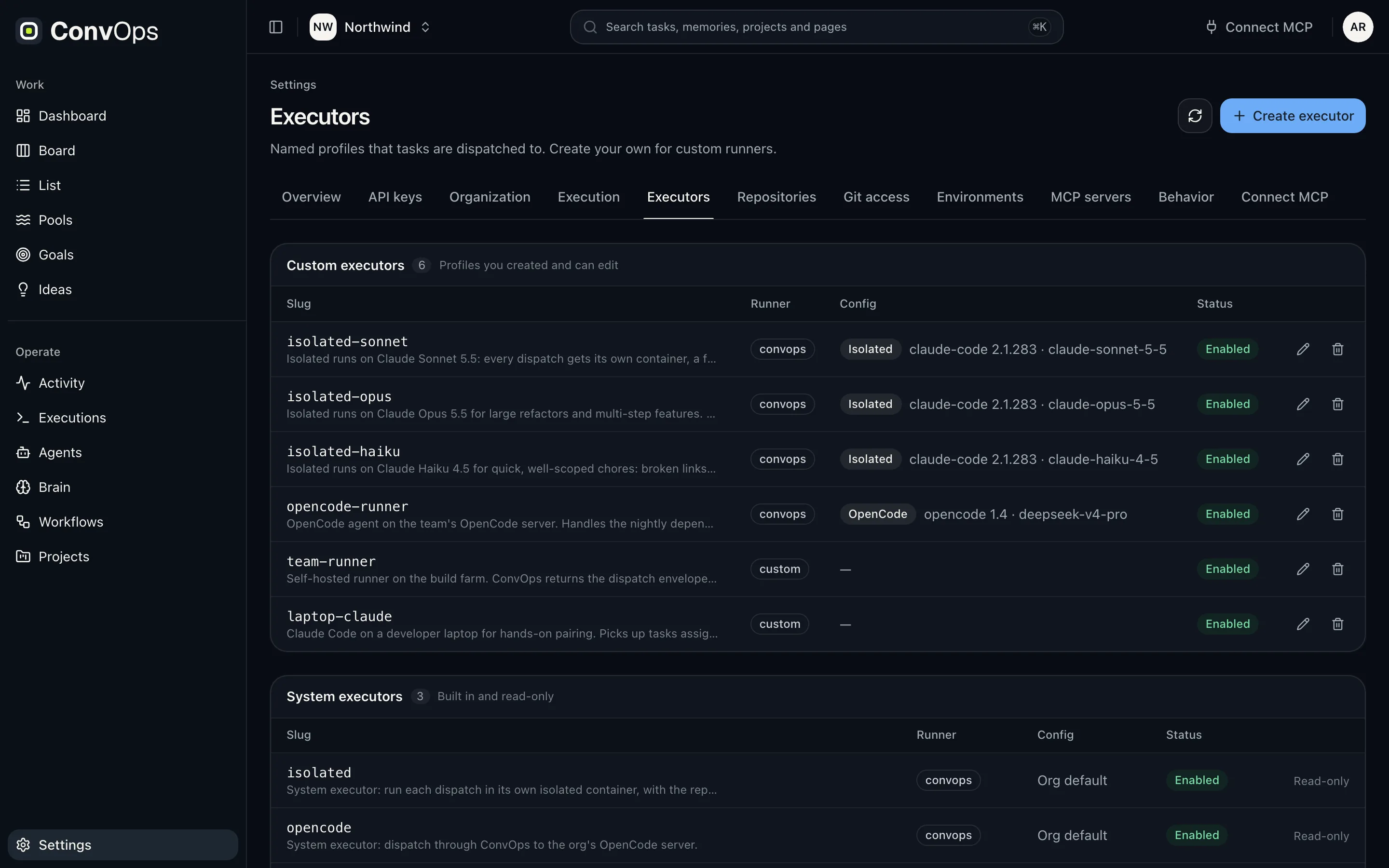
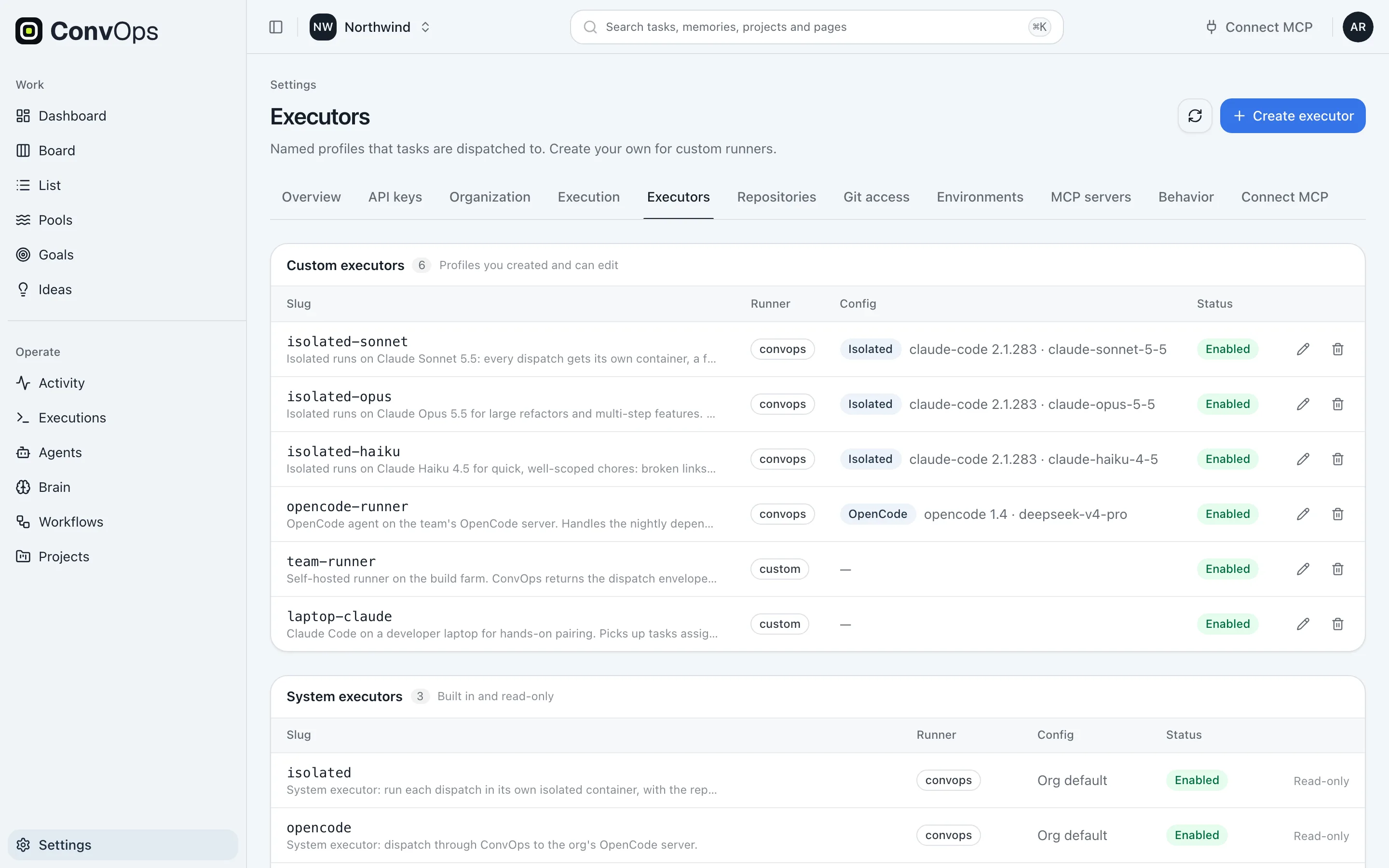
      "executor": "isolated-sonnet" }
  ],
  "parent_gate": { "wait_for_children": true }
}Your machines. Your agents. Your rules.
ConvOps governs the run. Your executors do the work: Claude Code on your machine, OpenCode on your runner, or an isolated run on Kubernetes.
- Agent-neutral by design: Codex, Kimi and others plug in the same way
- The step setting wins, then the task, then the workspace default
from Step executor
The tests step pins your runner, on OpenCode. The step wins.
You own the execution layer. ConvOps owns the governance.
{ } payload real engine shape
{
  "executors": [
    { "slug": "local", "backend": "local",
      "agent": "claude-code" },
    { "slug": "build-runner", "backend": "runner",
      "agent": "opencode" },
    { "slug": "isolated-sonnet",
      "backend": "isolated",
      "agent": "claude-code",
      "time_limit_s": 14400 }
  ],
  "precedence": "step > task > workspace default"
}It does not ship until you say so.
A gate is structural. It lives in the workflow, not in wording a model can argue past. This one waits for the three child tasks, then for you.
- requires_approval: a person has to say go
- wait_for_children: the child work lands first
Payment webhook returns 500
step 5 of 7 · approve · "Ship it?"
- fix
- tests
- docs
- children 3/3 landed
example · keep scrolling to approve
Keep scrolling. You are the approval.
{ } payload real engine shape
{
  "id": "approve",
  "gate": {
    "requires_approval": true,
    "wait_for_children": true,
    "prompt": "Ship it?"
  }
}Change the rule, not the rails.
Policies are guidance assigned to workflows and injected into the active step. Edit one and every run in flight reads the new text on its next step.
Add a test for every fix.
Add a regression test for every fix and link it in the task notes.
One edit. Every assigned workflow, from its next step.
{ } payload real engine shape
{
  "slug": "tests-first",
  "text": "Add a regression test for every
     fix and link it in the task notes.",
  "enabled": true,
  "assigned": ["bug-fix", "feature"]
}Nobody starts it. That is the point.
Give the workflow a schedule and it stops waiting for you. Each fire creates a task that carries the whole process. You govern it at the gates.
- Recurrence rules, e.g. every weekday 01:00 UTC
- A manual trigger, or your app through the SDK
- Runs dispatch follow-up tasks within a per-run limit
- 01:00Bug sweepevery weekday 01:00not today
- 03:30Dependency auditevery day 03:30in 5h 00m
- 05:00Triage reportevery monday 05:00not today
You govern the workflow. The workflow governs the system.
{ } payload real engine shape
schedule_create({
  "rrule": "FREQ=WEEKLY;BYDAY=MO,TU,WE,TH,FR;BYHOUR=1",
  "timezone": "UTC",
  "creates": "task · workflow: bug-sweep",
  "supervision": "gates only"
})Real processes already run on this.
Not mockups. The shapes of workflows in production today: content that publishes daily, plans that gate on sign-off, bug flows that branch on reality. Pick one.
A publishing pipeline that fires itself every morning and never fakes a green.
- 01
Fires itself
An RRULE schedule creates the day’s task. Nobody starts it.
- 02
Recalls before acting
Queries memory first: yesterday’s context, learned rules.
- 03
Researches and drafts
Agents source, check and write, one governed step at a time.
- 04
Hard verification gate
Claims cited, entities verified. A red files a bug task. The loop never fakes green.
- 05
Publishes
Content ships with its provenance attached.
- 06
Sweeps and closes the loop
Verifies its own output landed. Tomorrow it all runs again.
The loop pulls its work. Nothing pushes it.
A schedule wakes the agent. The agent asks a pool, a saved query resolved live. It answers with exactly one task, or nothing. A pool never starts a run.
- c03dAdd CSV export to reports
- a91fPayment webhook returns 500
- 7e2bCheckout crashes on Safari
- 5b80Refund rounding off by a cent
- e4c1Typo on the pricing page
- 19faLogin link expires too early
the schedule
Weekdays 01:00. The run starts.
the agent asks · call 1
pools_next("rotting-bugs")
one task, or nothing
the schedule starts the run · the pool only picks the work
A pool is a query, not a queue
Typed, validated filter leaves, never string-built. Resolved live on every call. Default sort: priority, then oldest edit.
{
  "name": "rotting-bugs",
  "filter": {
    "op": "AND",
    "nodes": [
      { "field": "type", "eq": "bug" },
      { "field": "status", "eq": "todo" },
      { "field": "stale_days", "gte": 3 }
    ]
  },
  "sort": [
    { "field": "priority", "direction": "asc" },
    { "field": "updated_at", "direction": "asc" }
  ]
}pools_next: one task, or null
LIMIT 1 in the pool's sort order. An empty pool returns null, not an error, so the workflow can branch on it.
{
  "id": "a91f24c8",
  "title": "Payment webhook returns 500",
  "type": "bug",
  "priority": "P1",
  "stale_days": 4
}Autonomy that leaves receipts.
Every run is metered: tokens, cost, time. Every change to a task or a workflow instance is audited, with the agent and the verified human kept apart.
- 09:41task · a91f24c8status todo → in_progressimplementerDana Reyes
- 09:58workflow · bug-fixstep failing-test → fiximplementerDana Reyes
- 10:12workflow · bug-fixstep fix → approveimplementerDana Reyes
- 10:31task · a91f24c8status review → completedrelease-botSam Okafor
The engine evaluates the gate. Structure, not prose a model can talk past.
- Field-level before and after on tasks and workflow instances
- Every workspace behind Postgres row-level security, forced for the table owner too
- Policies reach the agent inside the active step. Edit one, runs in flight pick it up
One audit row, two identities
actor is the label the agent declares. actor_user_* is derived on the server from the verified credential, never a parameter an agent could forge.
{
  "actor": "implementer",
  "actor_user_name": "Dana Reyes",
  "action": "updated",
  "entity_type": "task",
  "changes": {
    "status": { "old": "review", "new": "completed" }
  }
}A refused gate, verbatim
workflow_advance returns the unmet conditions. The step stays where it is until they are met.
{
  "current_step": "approve",
  "unmet_conditions": [
    "Requires explicit user approval"
  ]
}You own the execution layer.
Run on our cloud, on your own runners, or self-host the whole system on your Kubernetes with one Helm chart. Every run gets its own isolated pod.
Cloud We run the governance. Your AI tools, models and repositories stay yours and connect over MCP.
one run · example
- no service-account token
- non-root
- capabilities dropped
- network policy
- time limit 4h
A system of record behind it.
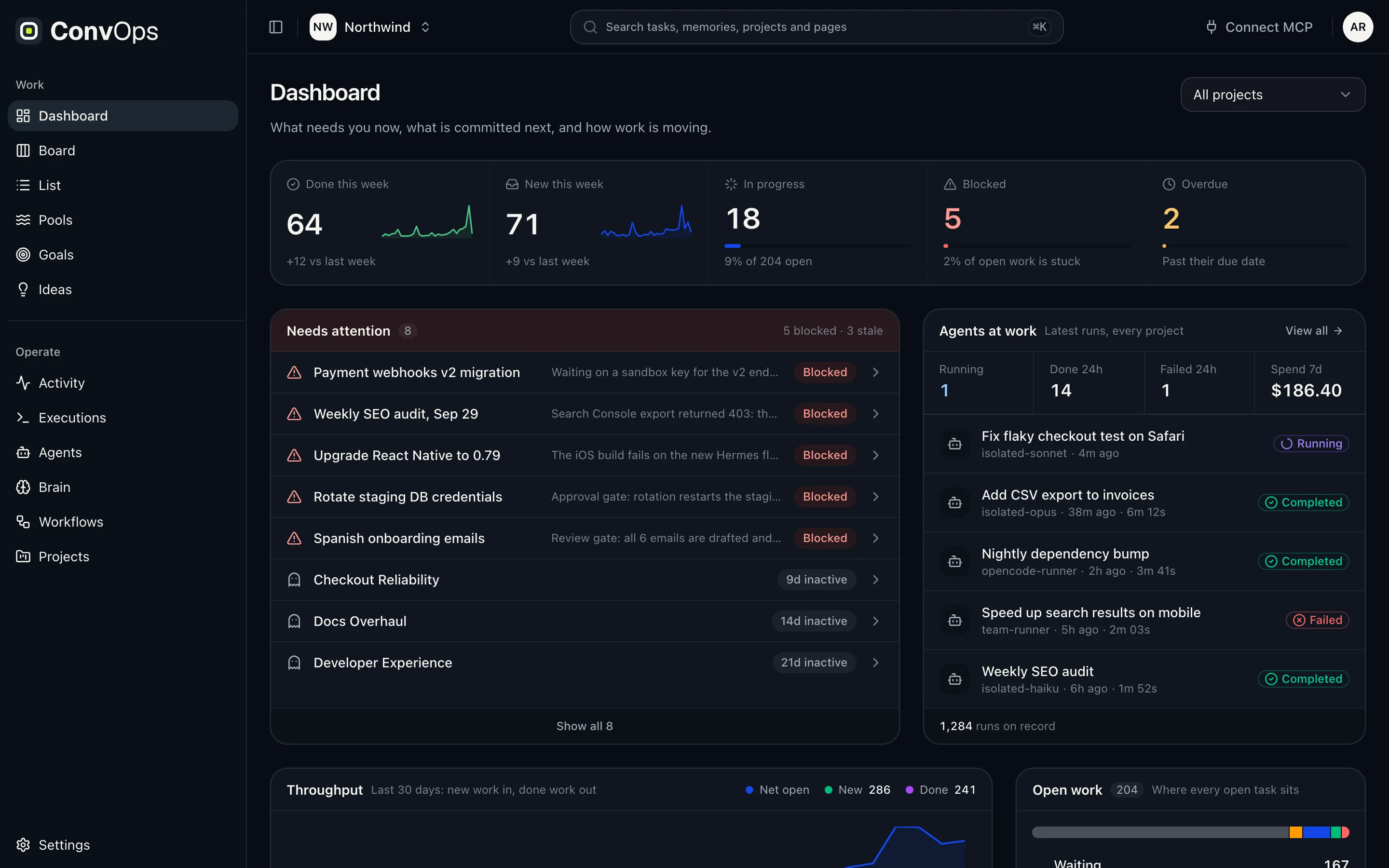
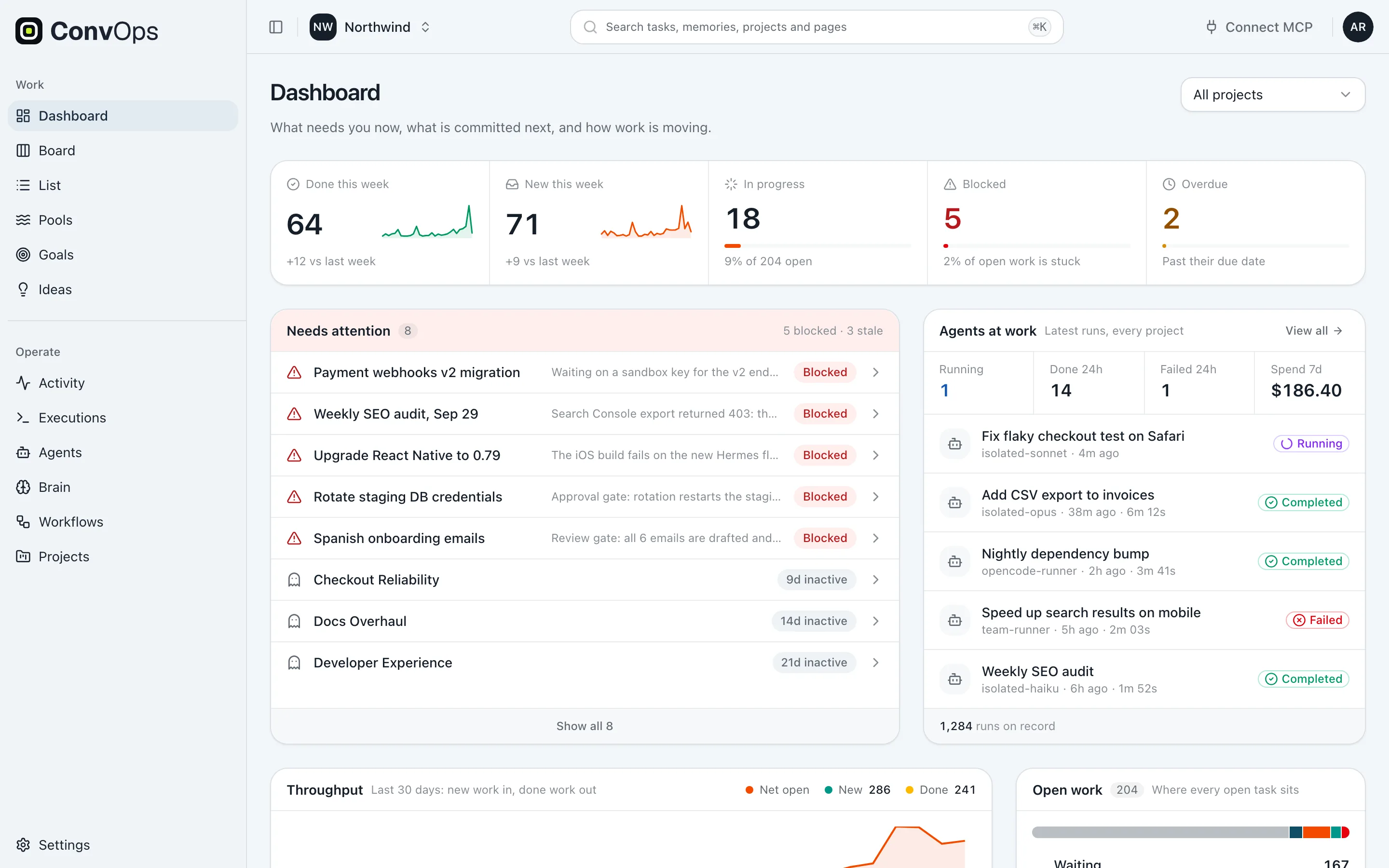
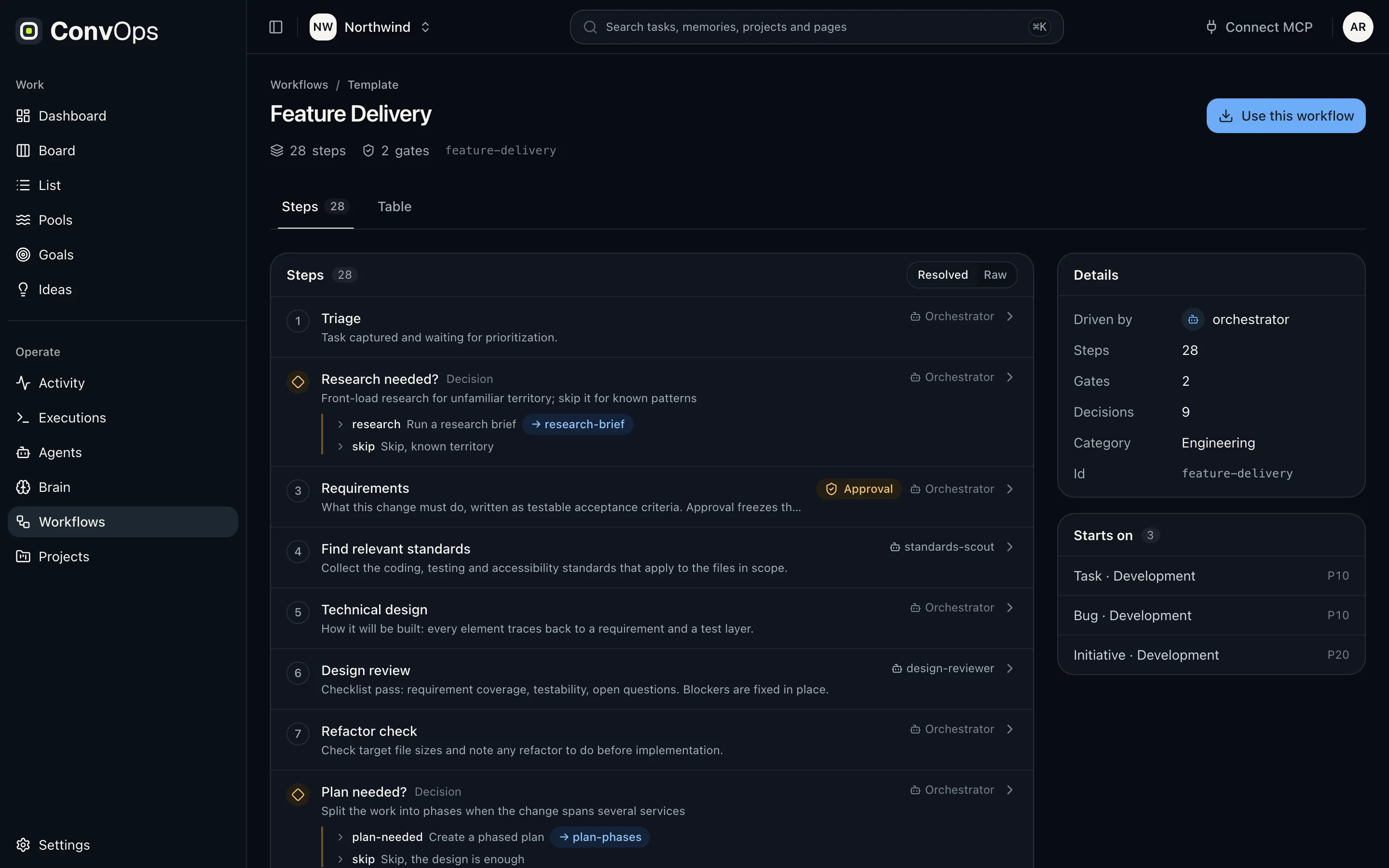
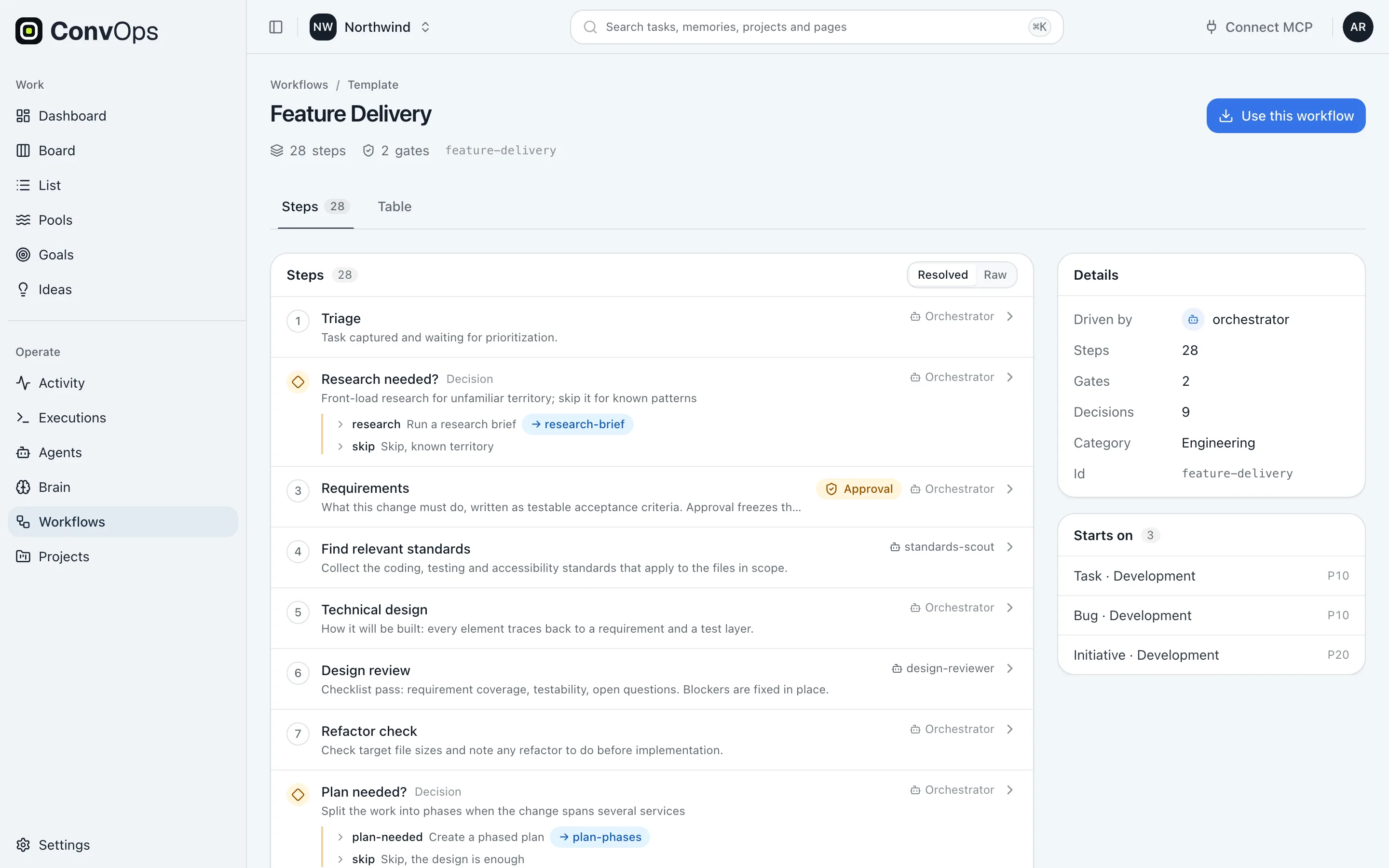
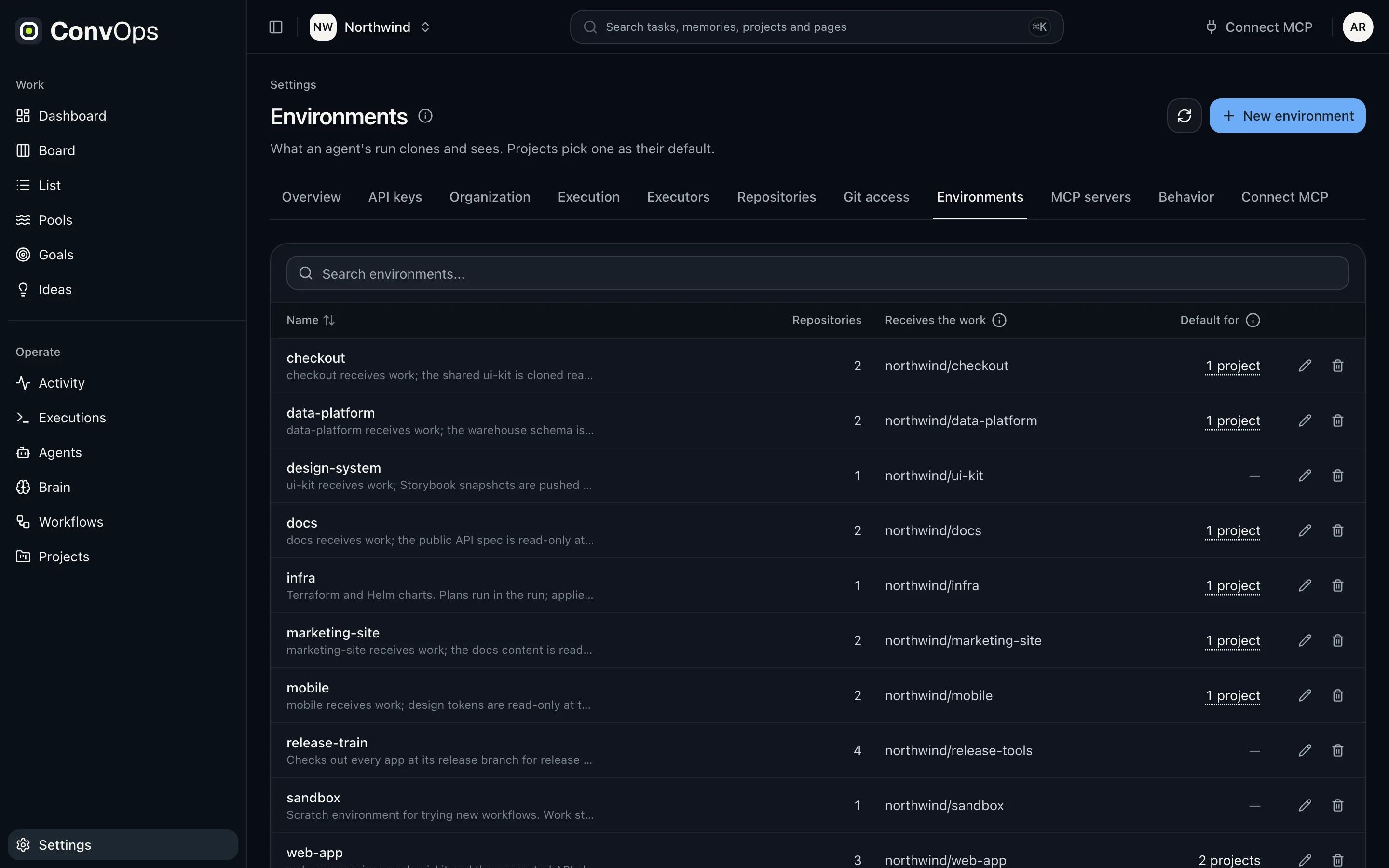
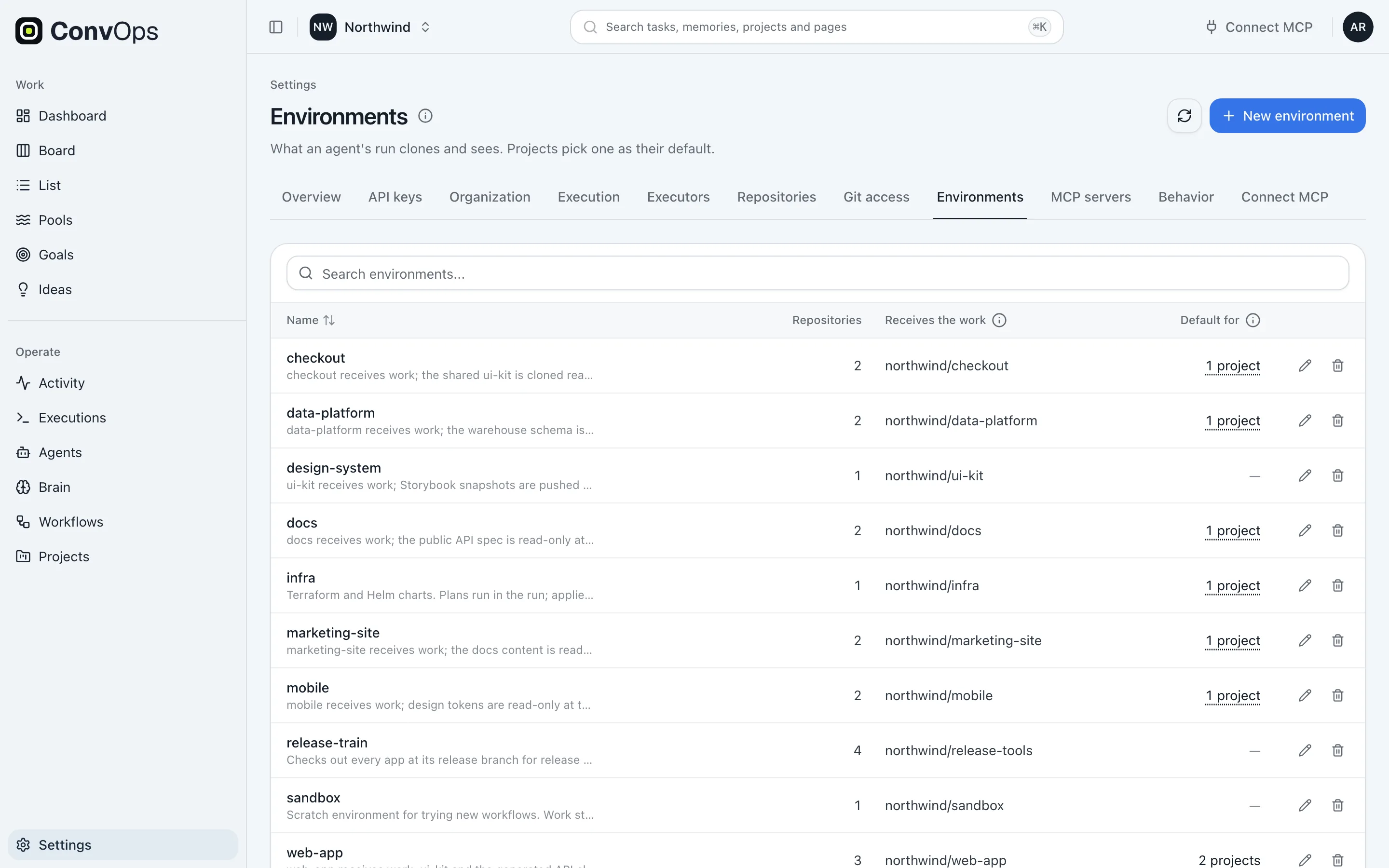
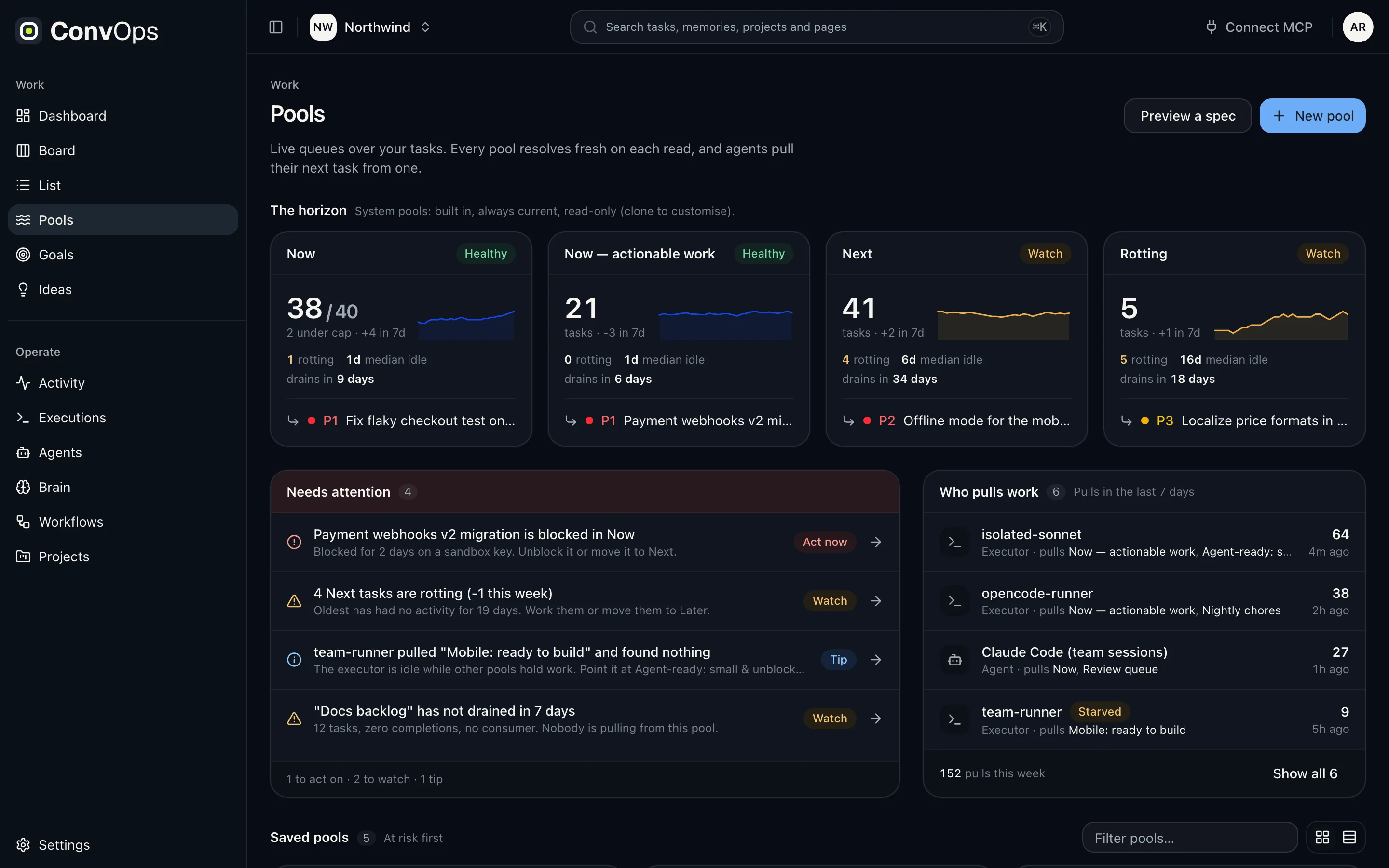
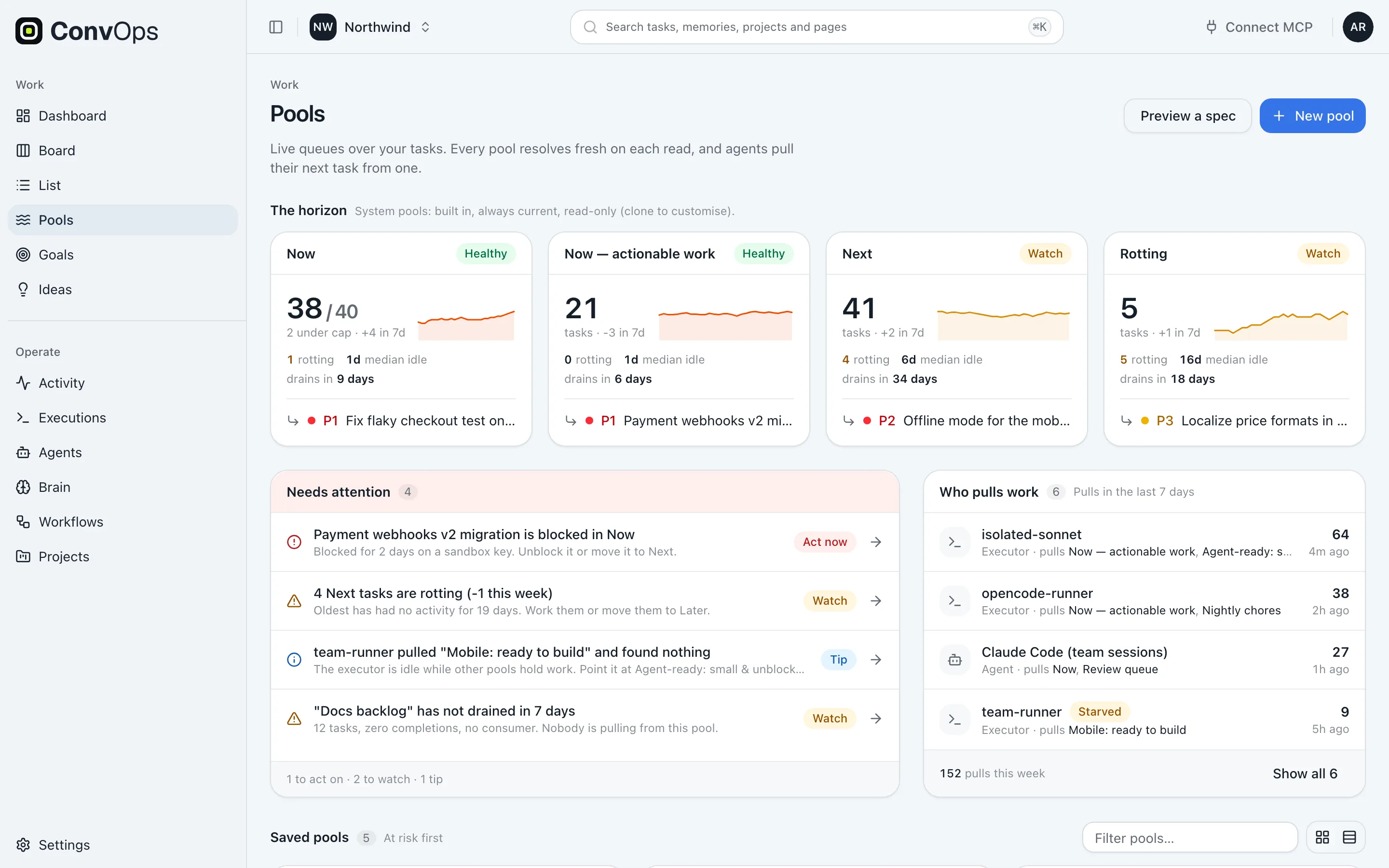
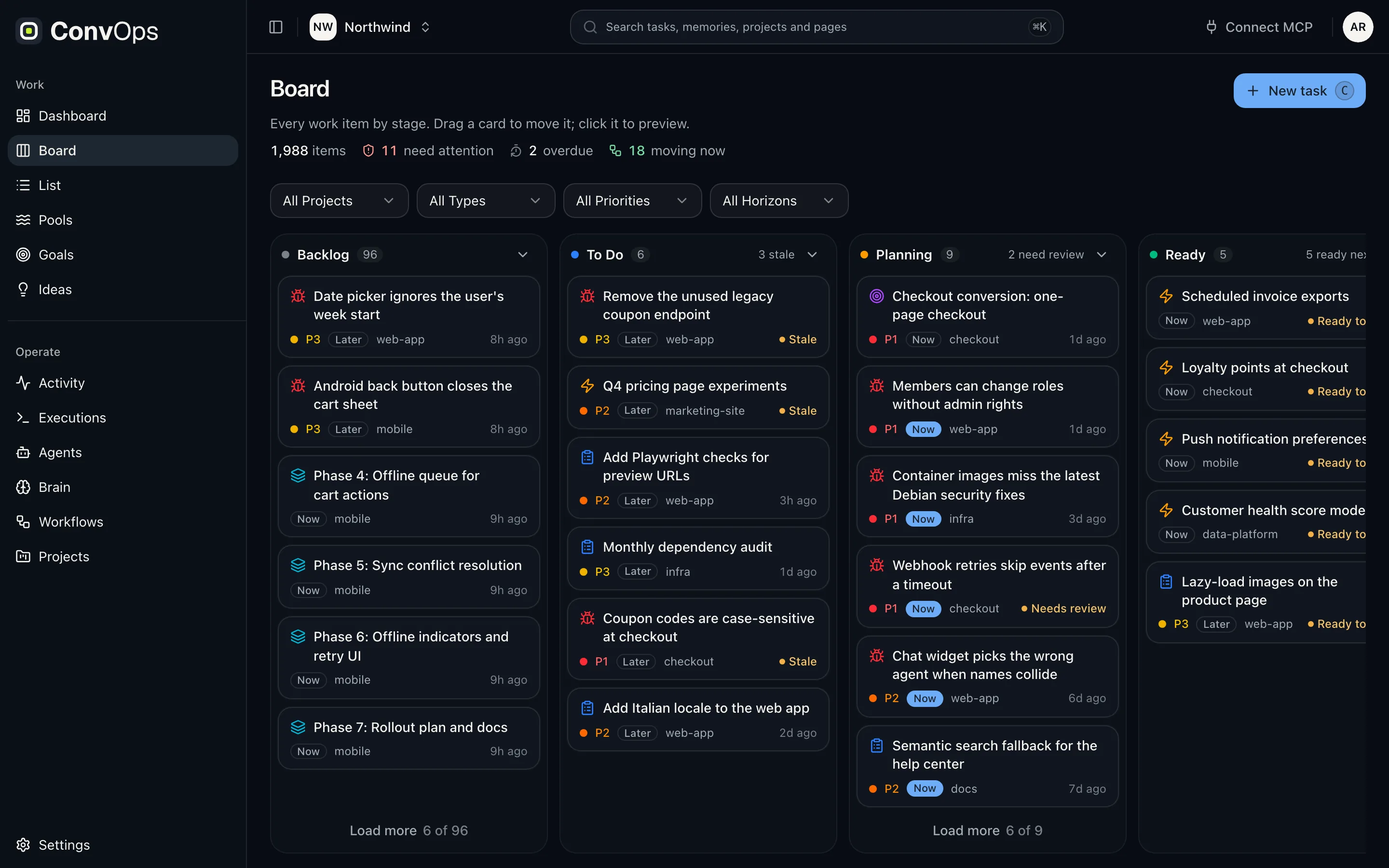
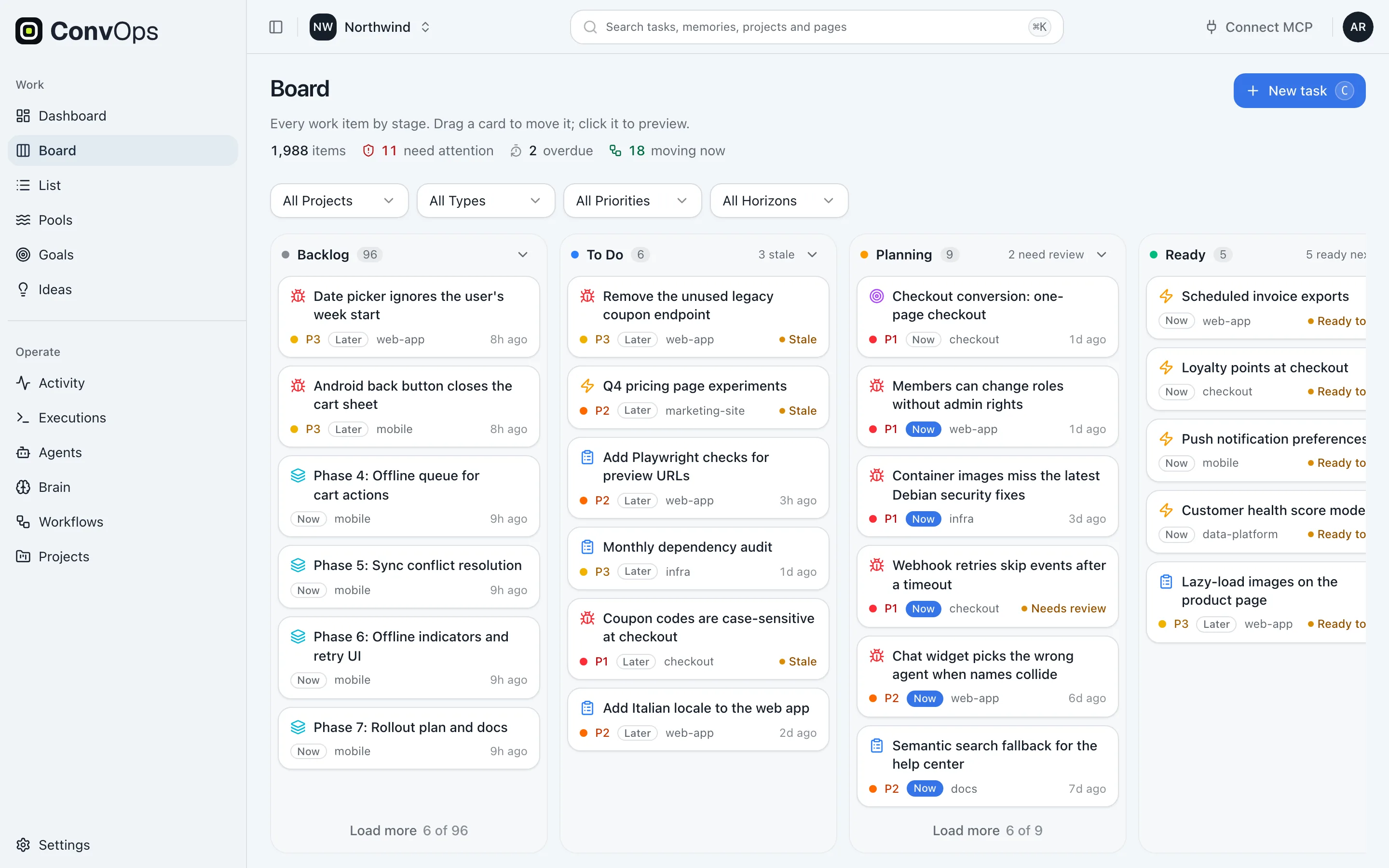
The engine you scrolled is the one the app renders: workflows from their stored definitions, a dashboard over the live task graph, agents scored by their actions.
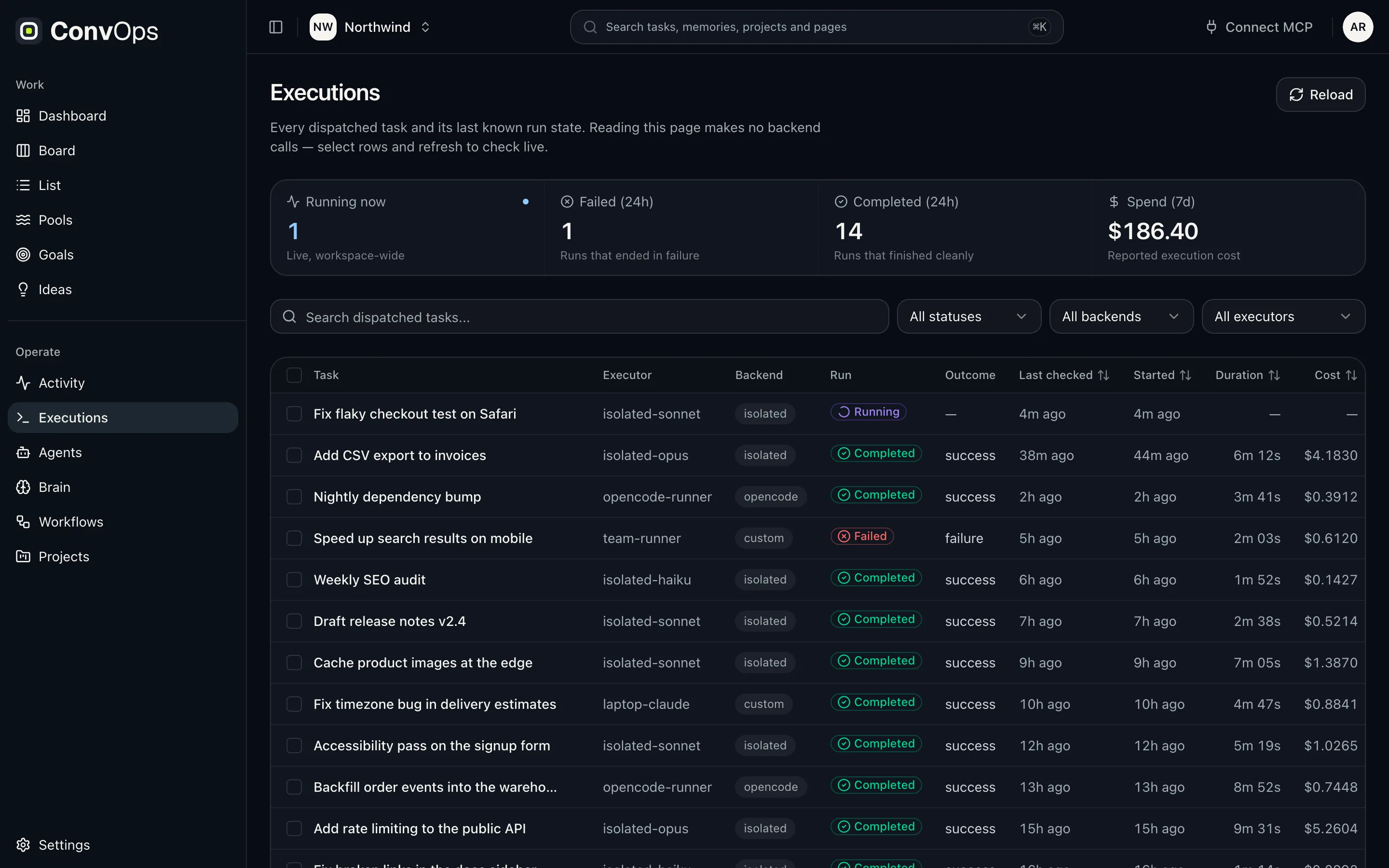
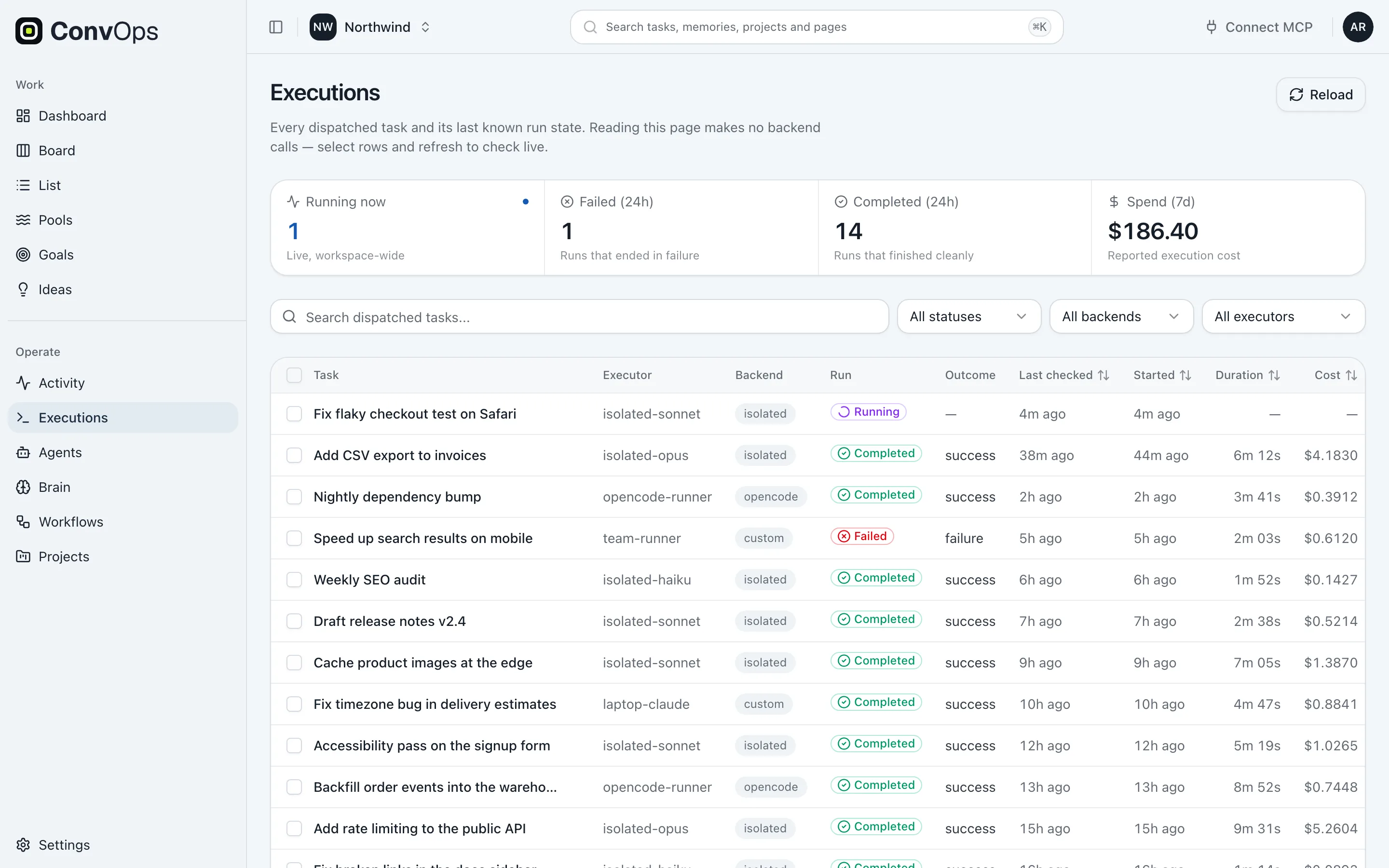
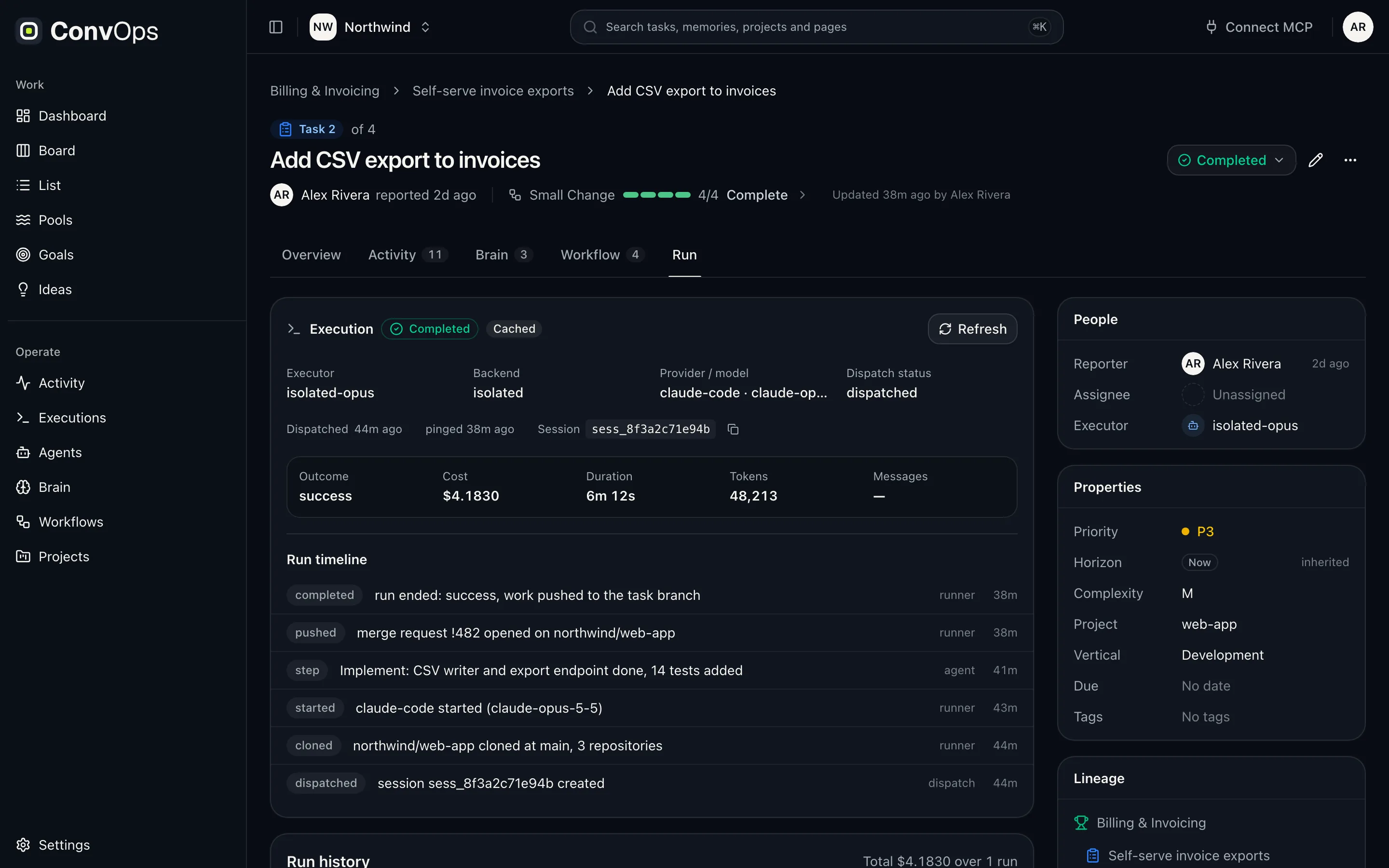
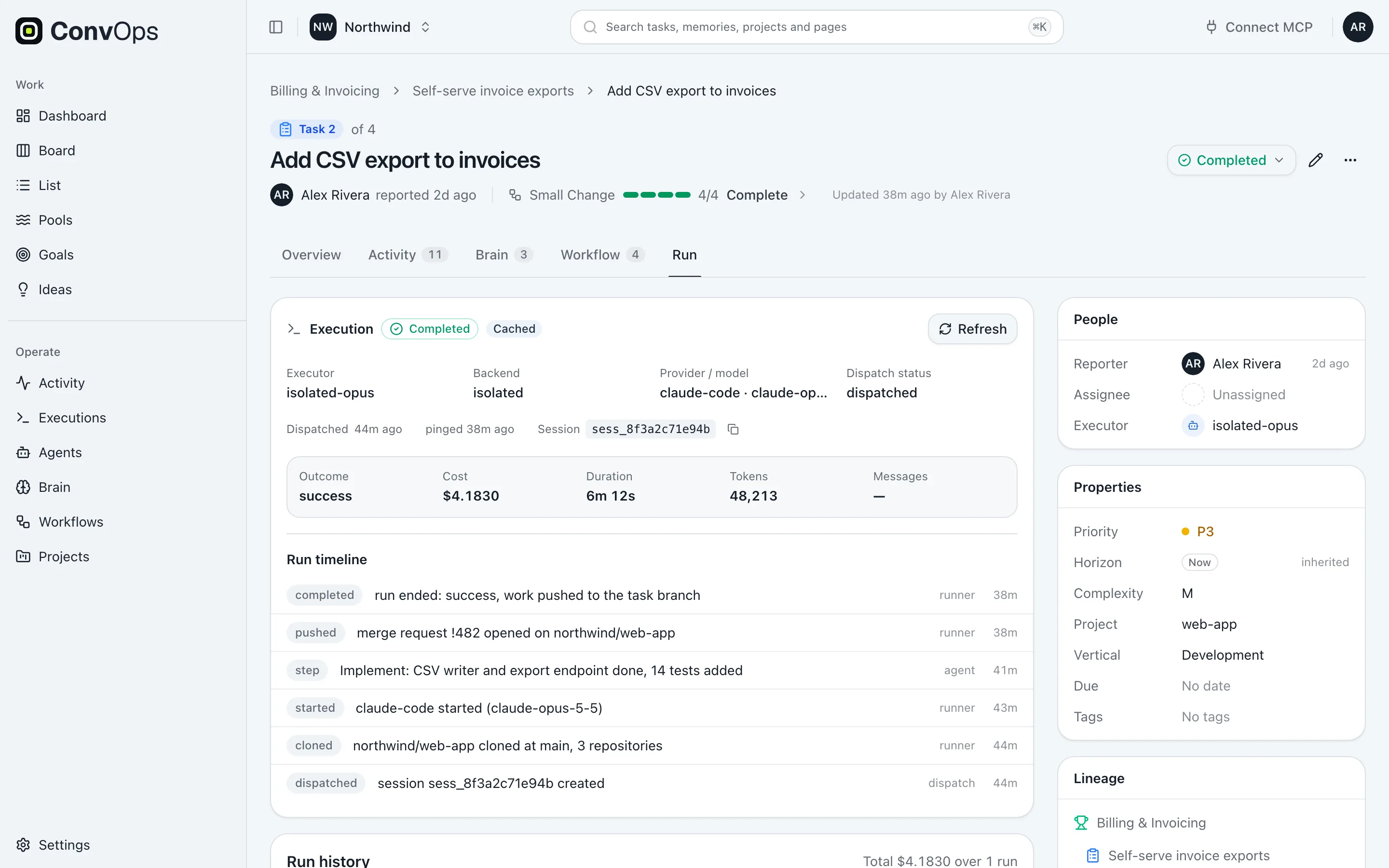
One workspace per system you automate.
Development, content, a client: each runs as its own workspace with its own workflows, executors, policies and memory. Recall searches every workspace you belong to in one query. Ownership stays isolated. Search does not.
What people ask about ConvOps.
Straight answers to the questions teams ask before they put their agents on a process.
What is ConvOps?
ConvOps is the operations layer for AI agents: an MCP server that holds your team's process as workflows, with approval gates, a shared memory and an audit trail. It runs no AI models. It works with Claude Code, Claude (desktop, web and Claude Cowork), OpenAI Codex, ChatGPT, Cursor and OpenCode, and with any other MCP client.
How do I make Claude Code follow a process?
Add ConvOps as an MCP server (claude mcp add --transport http convops https://mcp.convops.app/), then describe the process in plain words. ConvOps stores it as a workflow and hands Claude Code one step at a time. Gates on a step are checked by the engine, so Claude Code cannot move past an unmet approval. CLAUDE.md and hooks still help inside a session; the workflow holds the order of steps across sessions and people.
How do human approval gates for AI agents work in ConvOps?
A gate is a condition on a workflow step: explicit approval, finished child tasks, a task status or a context note. When the agent asks to advance, the engine checks the gate against real state. If it is unmet, the workflow stays on that step and the response lists every unmet condition. Approval is passed explicitly on the advance call, never read from chat text.
Does ConvOps run AI models?
No. ConvOps runs no AI models. You bring your AI client (Claude Code, Codex, Cursor, ChatGPT or another MCP client) and your model provider. ConvOps holds the process, the gates, the memory and the record.
Can steps in a ConvOps workflow run in parallel?
Steps inside one workflow run in order. Parallel work is modelled as child tasks that share an order: they start together, each can run on its own agent and executor, and the parent waits until all of them are done.
Can ConvOps run AI agents unattended?
Yes. Schedules use RRULE recurrence rules, work pools hand a run its next task, and executors decide where a run happens: your machine, your own runner, or one isolated pod per run on your Kubernetes. Approval gates hold on unattended runs too.
Is ConvOps an alternative to LangGraph, n8n or Temporal?
Mostly it sits beside them. LangGraph builds agents in code, n8n automates app-to-app flows on a visual canvas, and Temporal runs durable application code. ConvOps governs the process that existing agents such as Claude Code or Codex walk over MCP: steps, gates, memory and audit. The comparison pages cover each one.
Does ConvOps help with EU AI Act Article 14 human oversight?
It supports it. Article 14 asks that high-risk AI systems can be effectively overseen by natural persons while in use. Approval gates put a person at the decisions that matter, runs can be stopped, and the audit trail records each change with the agent label and the verified account. ConvOps is not a compliance certification on its own.
How much does ConvOps cost?
As of October 2026, ConvOps has four plans: Free at $0, Pro at $79 a month ($66 billed annually), Business at $299 a month ($249 billed annually) and Enterprise from $2,500 a month. Every process feature is on every plan, including Free; plans differ on scale. There are no per-seat or per-token charges.
Can I self-host ConvOps?
Yes, on the Enterprise plan. The whole system (engine, memory, audit and runs) installs on your own Kubernetes from one Helm chart, with your models and credentials, so nothing has to leave your cluster.
You just scrolled an autonomous loop.
One message defined it. Work routed itself into it. Then it ran: it recalled what past runs learned, branched three ways, invoked a sub workflow with its own gates, started three child tasks together on clients you already run, waited for you at a gate, absorbed a policy mid run, and closed its own loop on a schedule. You wrote none of it as code.